
LunaTranslator - Open-Source GalGame Translator
LunaTranslator Guide — An open-source visual novel translator with support for HOOK, OCR, and AI translation engines. Integrates with MoleAPI to improve translation quality.
LunaTranslator is a free and open-source visual novel translator designed to deliver a native-language-level visual novel gaming experience.
- Project repository: https://github.com/HIllya51/LunaTranslator
- Project documentation: https://docs.lunatranslator.org
Features
-
HOOK Primarily uses HOOK to extract in-game text and is compatible with nearly all common and obscure visual novels
-
Embedded Translation Some games also support directly embedding translations into the game for a more immersive experience
-
HOOK Emulator For most games on NS/PSP/PSV/PS2, supports using HOOK with emulators to read game text directly
-
OCR Built-in high-accuracy OCR models, with support for many other online and offline OCR engines for flexible text extraction from any content
-
Extensive Translation Interfaces Supports nearly all translation engines, including large language model translation and offline translation
-
Language Learning Supports Japanese word segmentation and furigana annotation, as well as AnkiConnect and the Yomitan plugin
-
Text-to-Speech Supports a wide range of online and offline speech synthesis engines
-
Speech Recognition On Windows 10 and Windows 11, Windows Speech Recognition can be used.
Installation
Download and install from LunaTranslator Documentation - Download & Launch & Update
Integrating MoleAPI with LunaTranslator
LunaTranslator can be easily integrated with MoleAPI, but the configuration process may vary slightly between versions. Please refer to your actual version.
Manual Configuration
-
Get your API Key from
MoleAPI->Console->Token Management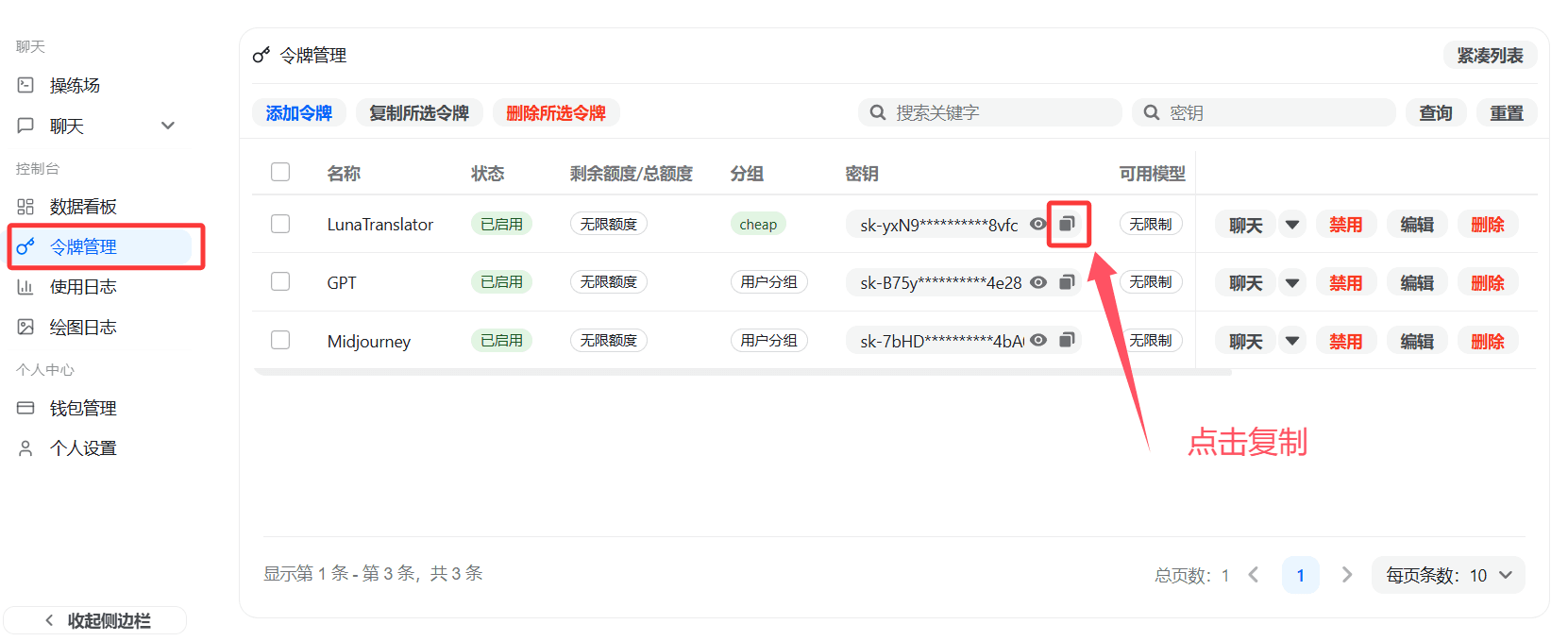
-
In
LunaTranslator->Settings->Translation Settings->Large Language Model, choose to add a new entry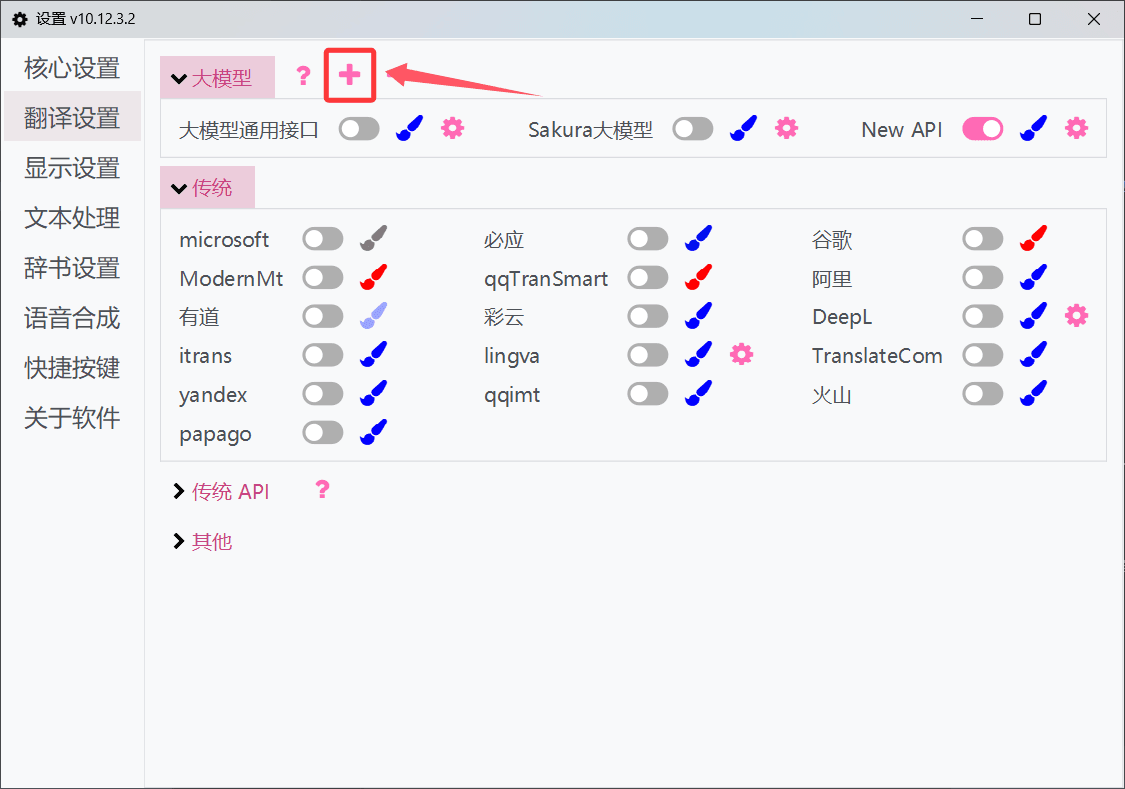
-
Copy the General Large Language Model Interface template and create a new interface
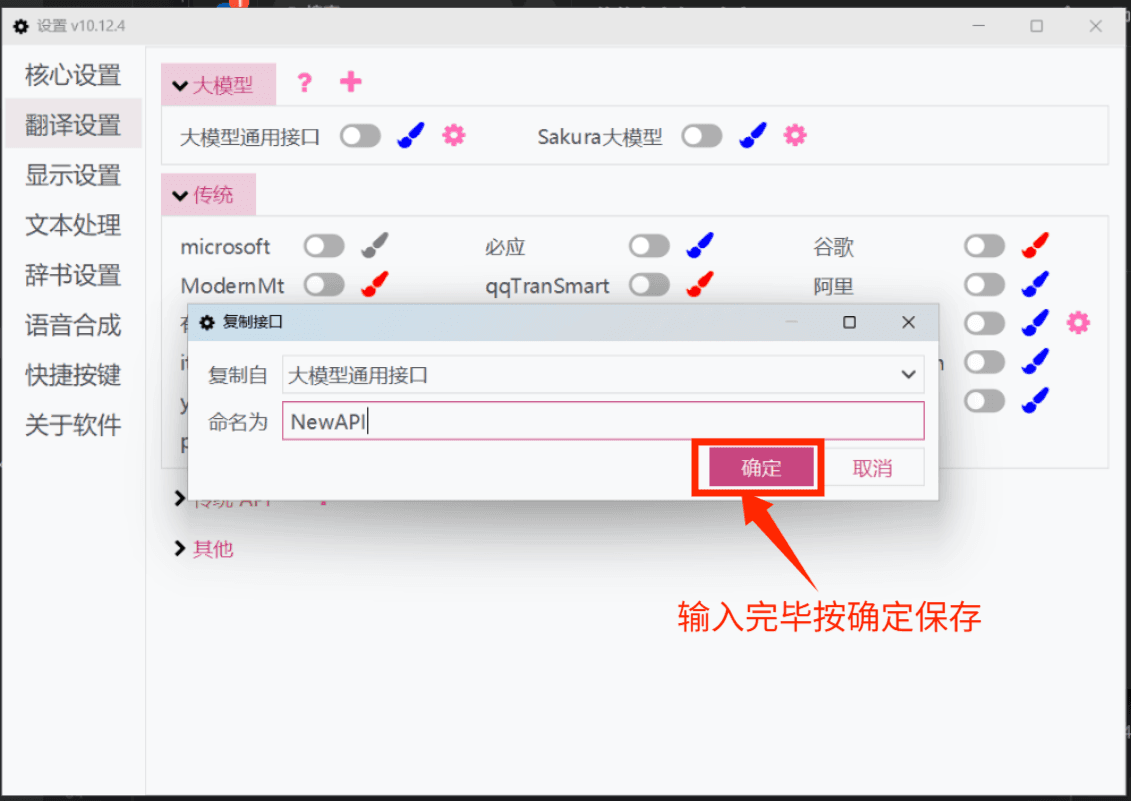
-
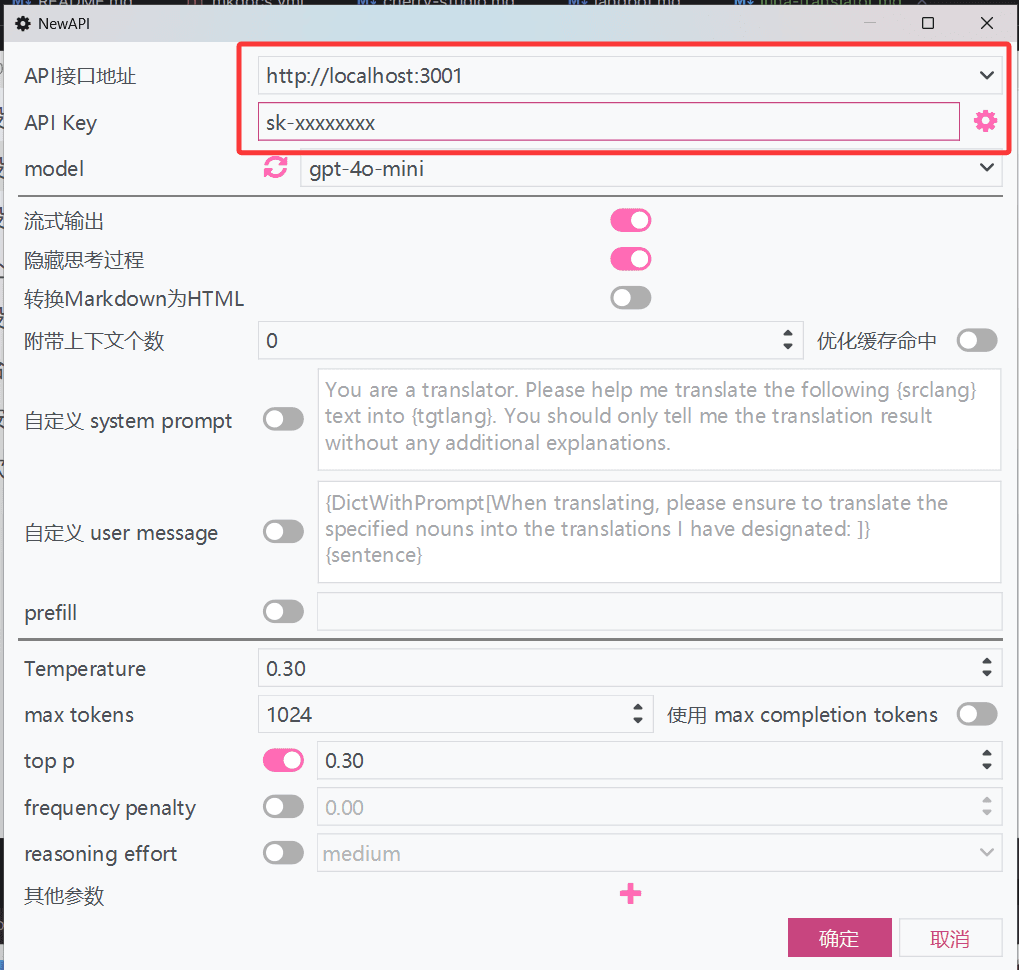
In the newly added interface, enter the corresponding API address and API Key
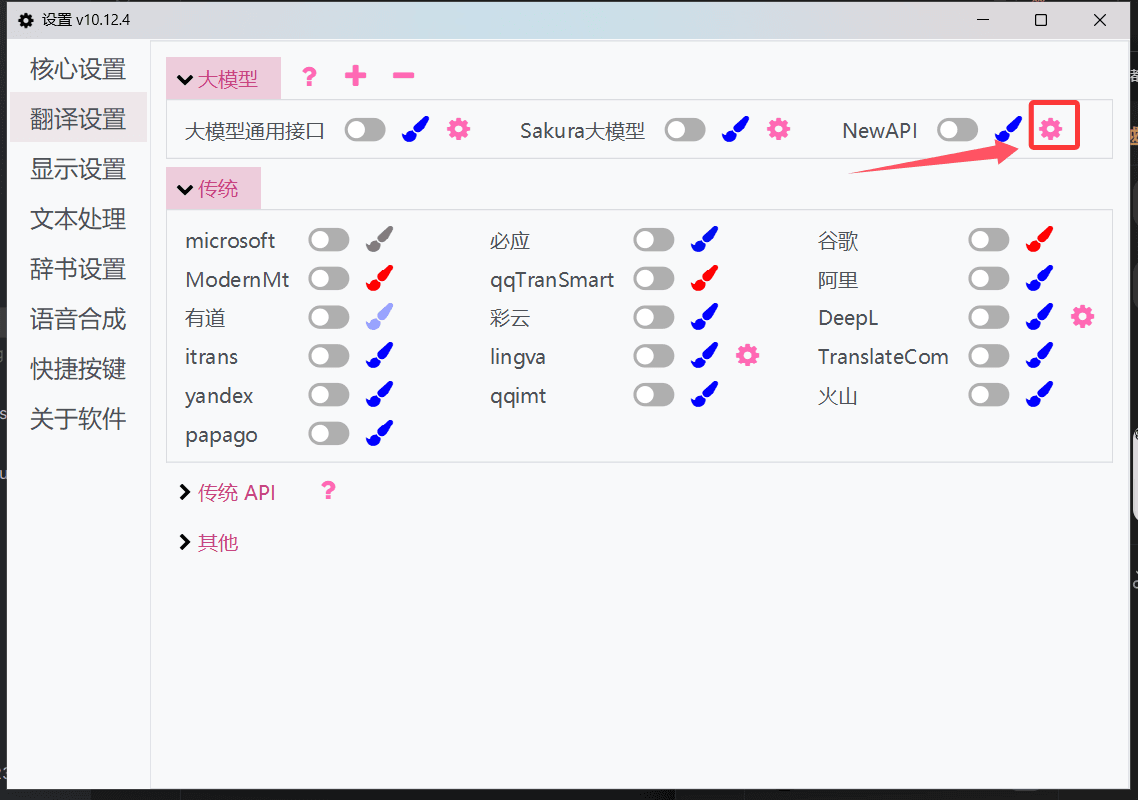
-
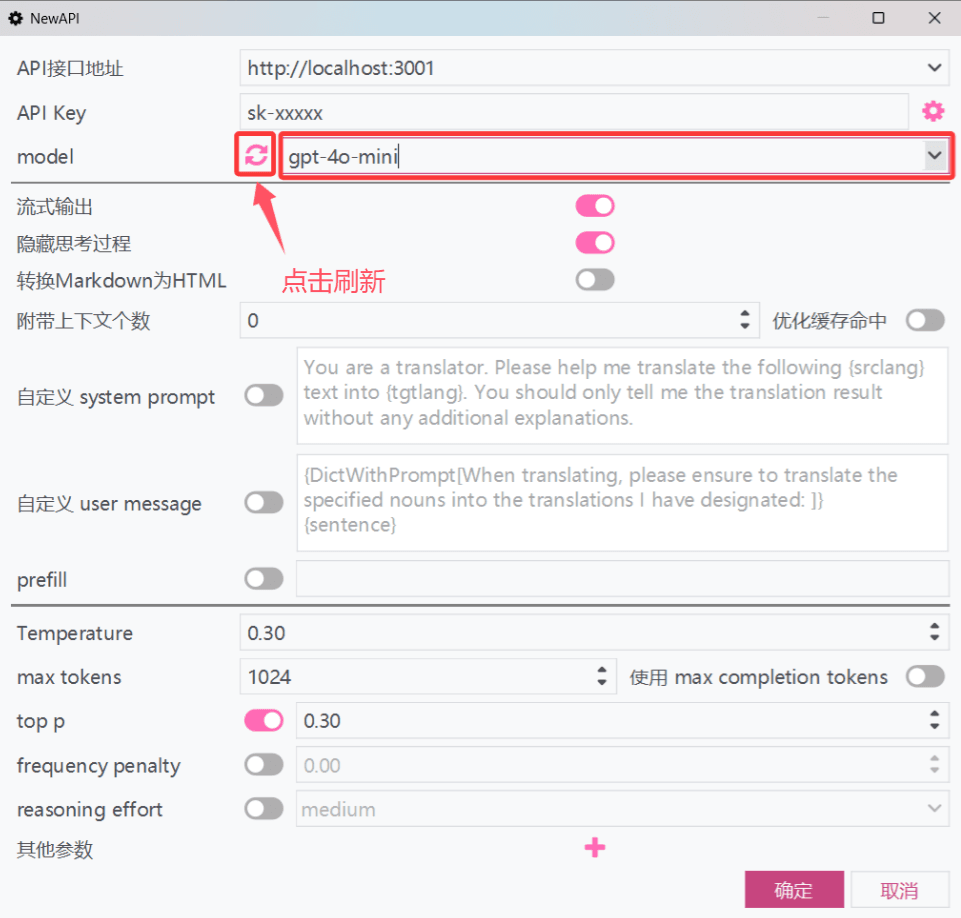
Click the refresh button next to the model dropdown to retrieve the model list from the MoleAPI platform. Select or enter a model name, then click Confirm to save
-
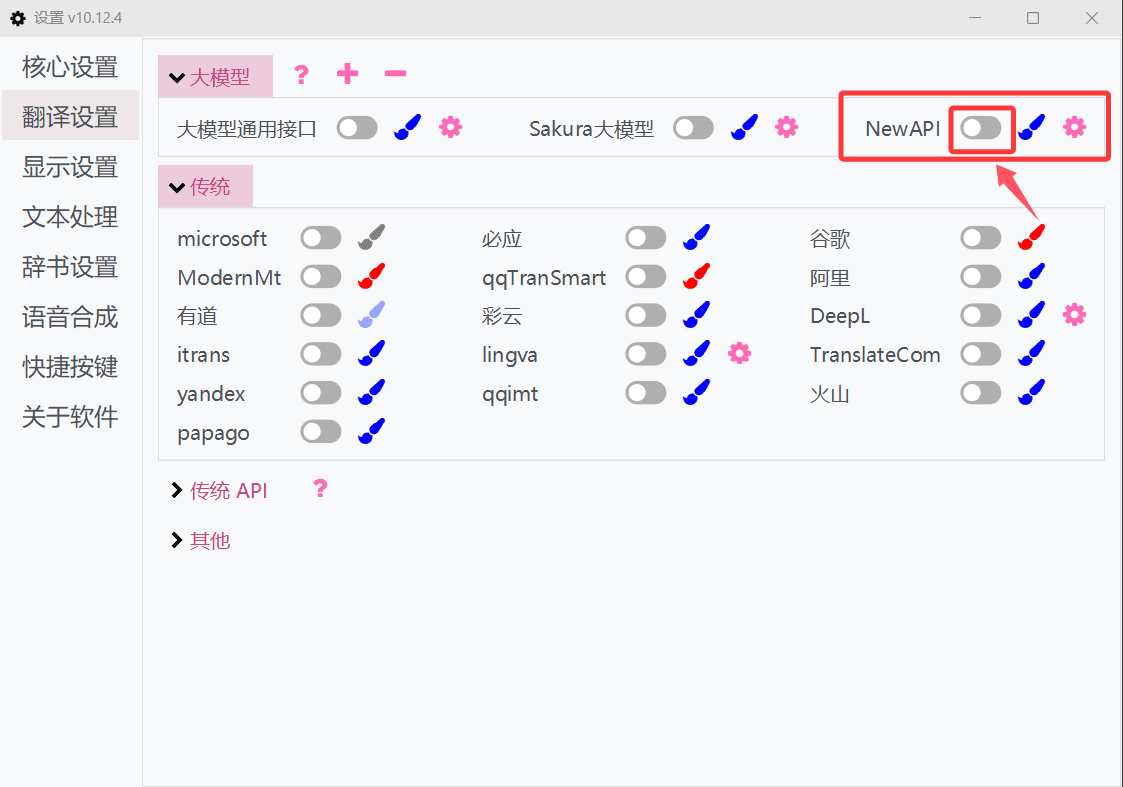
Click the toggle switch next to MoleAPI to enable the interface and start using it
For more usage methods, see the official LunaTranslator documentation: LunaTranslator Documentation - Large Language Model Translation Interface
How is this guide?
Last updated on
AstrBot - Agent Chatbot
AstrBot Configuration Guide — Connect the open-source Agent chatbot platform to MoleAPI to bring AI capabilities to instant messaging platforms such as QQ, Feishu, DingTalk, and WeCom.
How to Use Mainstream CLI Tools
How to use MoleAPI in mainstream command-line tools or plugins such as Claude Code, Cursor, and Gemini.