
LangBot - Instant Messaging Bot Development Platform
LangBot integration guide — an AI chatbot development framework for platforms such as Feishu, DingTalk, Telegram, and Discord. Supports knowledge bases, Agent, and MCP, and is compatible with MoleAPI.
LangBot is an open-source instant messaging bot development platform that supports multiple instant messaging platforms, including Feishu, DingTalk, WeChat, QQ, Telegram, Discord, and Slack. It integrates with mainstream AI models worldwide, supports a variety of AI application capabilities such as knowledge bases, Agent, and MCP, and is fully compatible with MoleAPI.
- Official website: https://langbot.app
- Download: https://github.com/langbot-app/LangBot/releases
- Official documentation: https://docs.langbot.app
- Open-source repository: https://github.com/langbot-app/LangBot
Integrate with MoleAPI
LangBot fully supports usage with MoleAPI, and the setup process is very simple.
How to Use
- Get the API Key and Base URL from MoleAPI

Please note that the API address (Base URL) must end with /v1.
For example, the correct value should be:
https://api.moleapi.com/v1If /v1 is not included, the integration will not work properly.
-
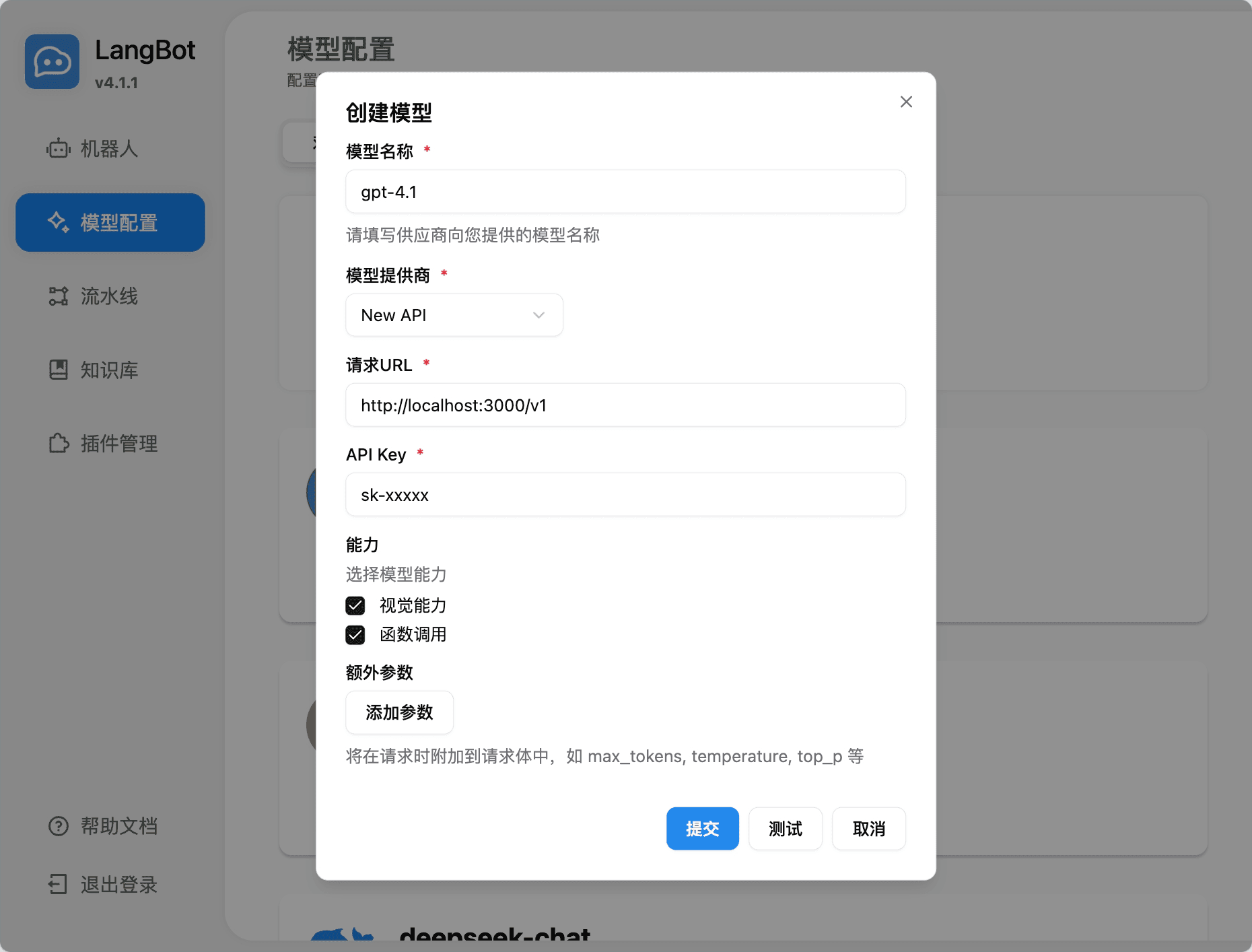
Add a model in LangBot, select the NewAPI provider, and fill in the corresponding API Key and API address
-
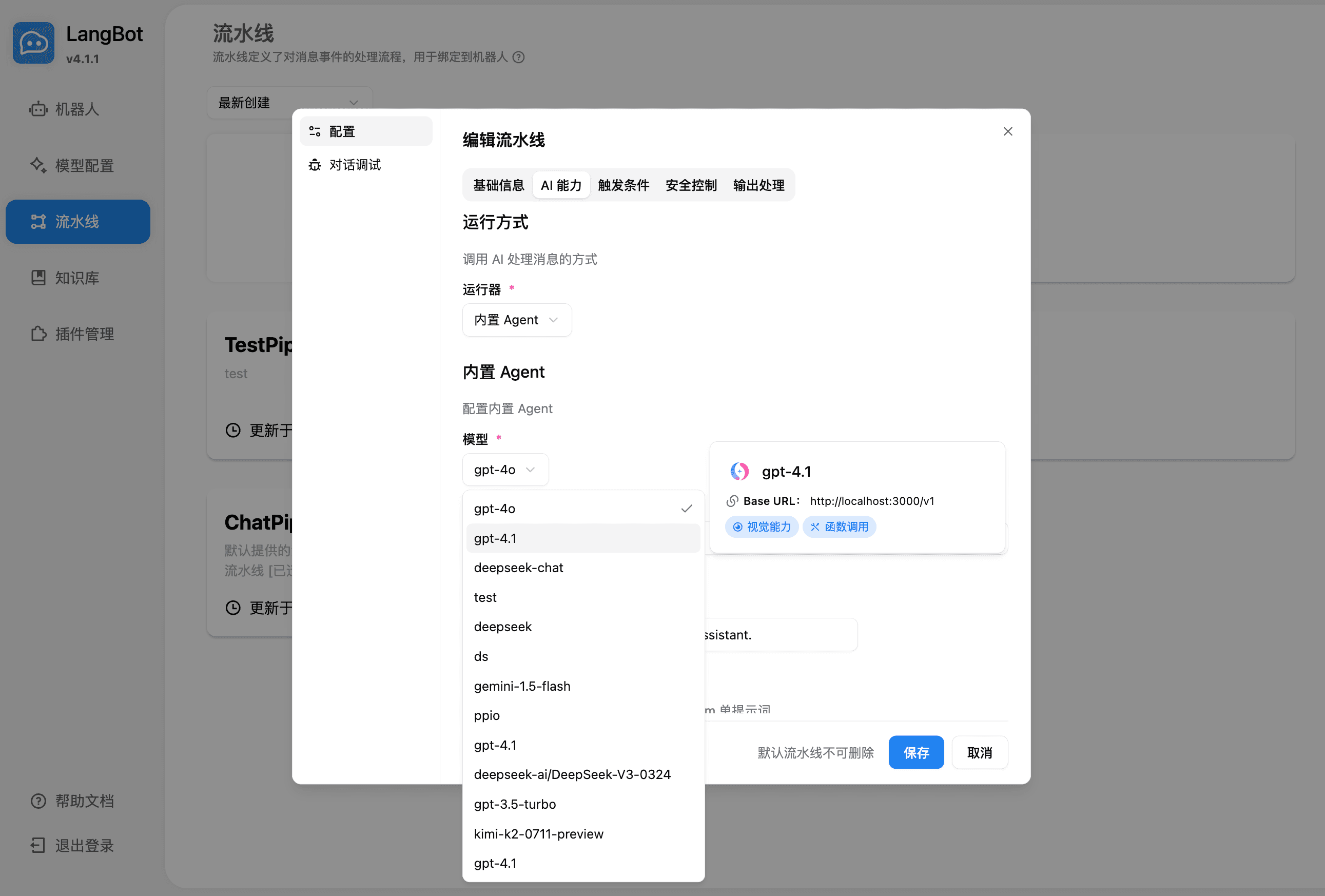
Select the model to use in the pipeline
-
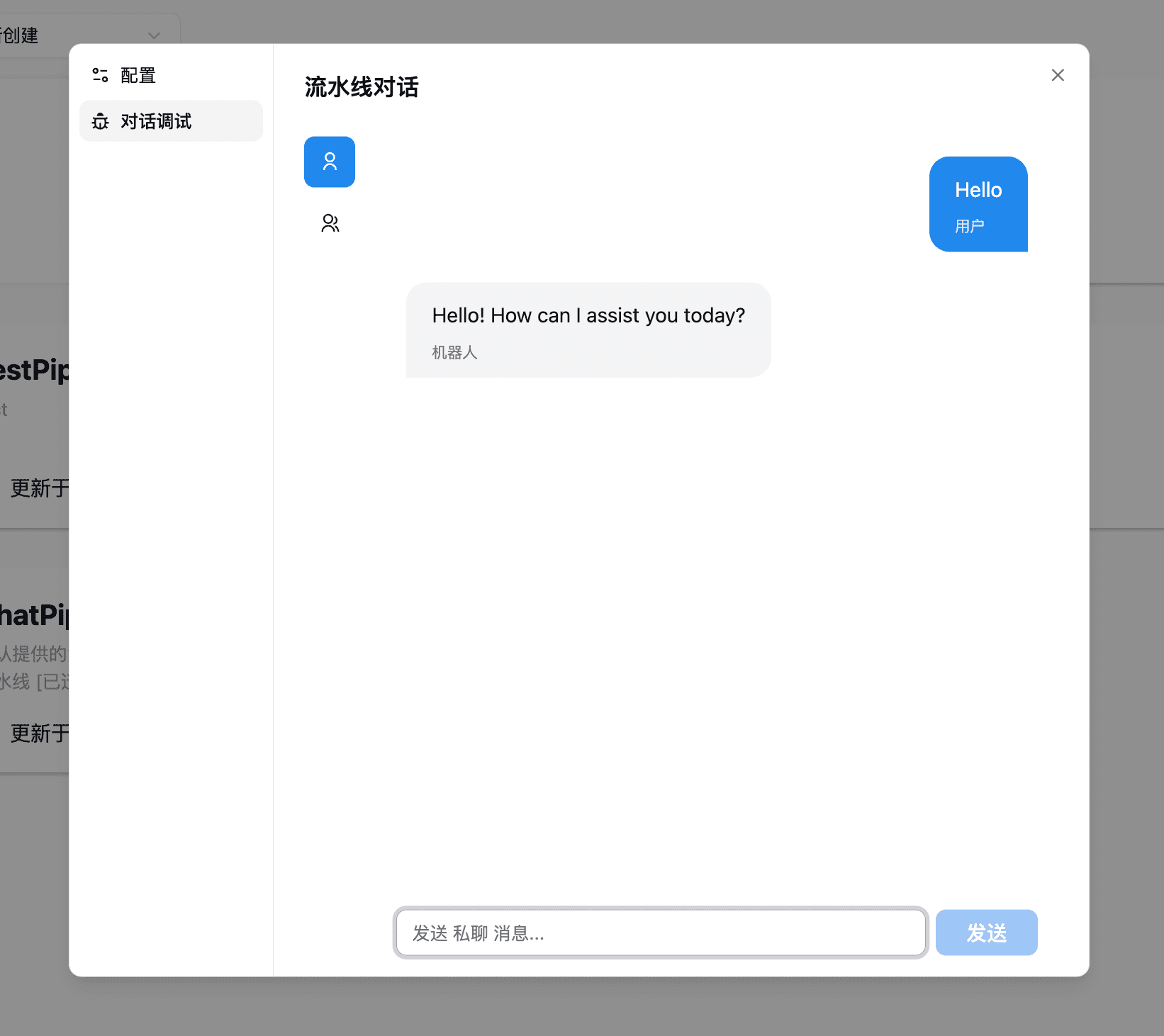
You can then use it either in conversation debugging or by chatting with a bot bound to the pipeline
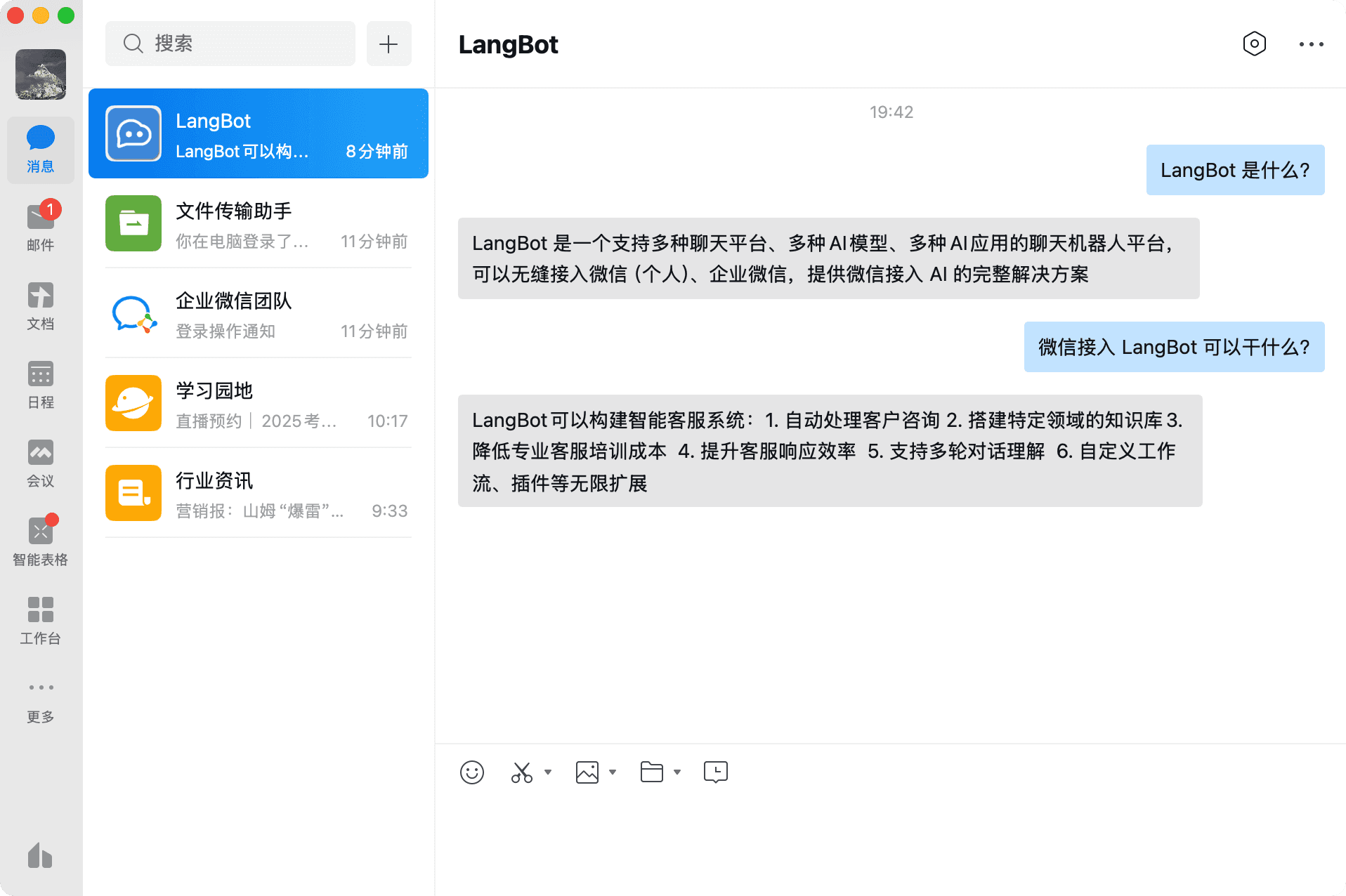
For bot deployment and configuration, refer to Deploy Bots.
Use the LangBot Knowledge Base
LangBot supports using MoleAPI embedding models as the vector model for its knowledge base.
-
Add an embedding model in LangBot and select the NewAPI provider
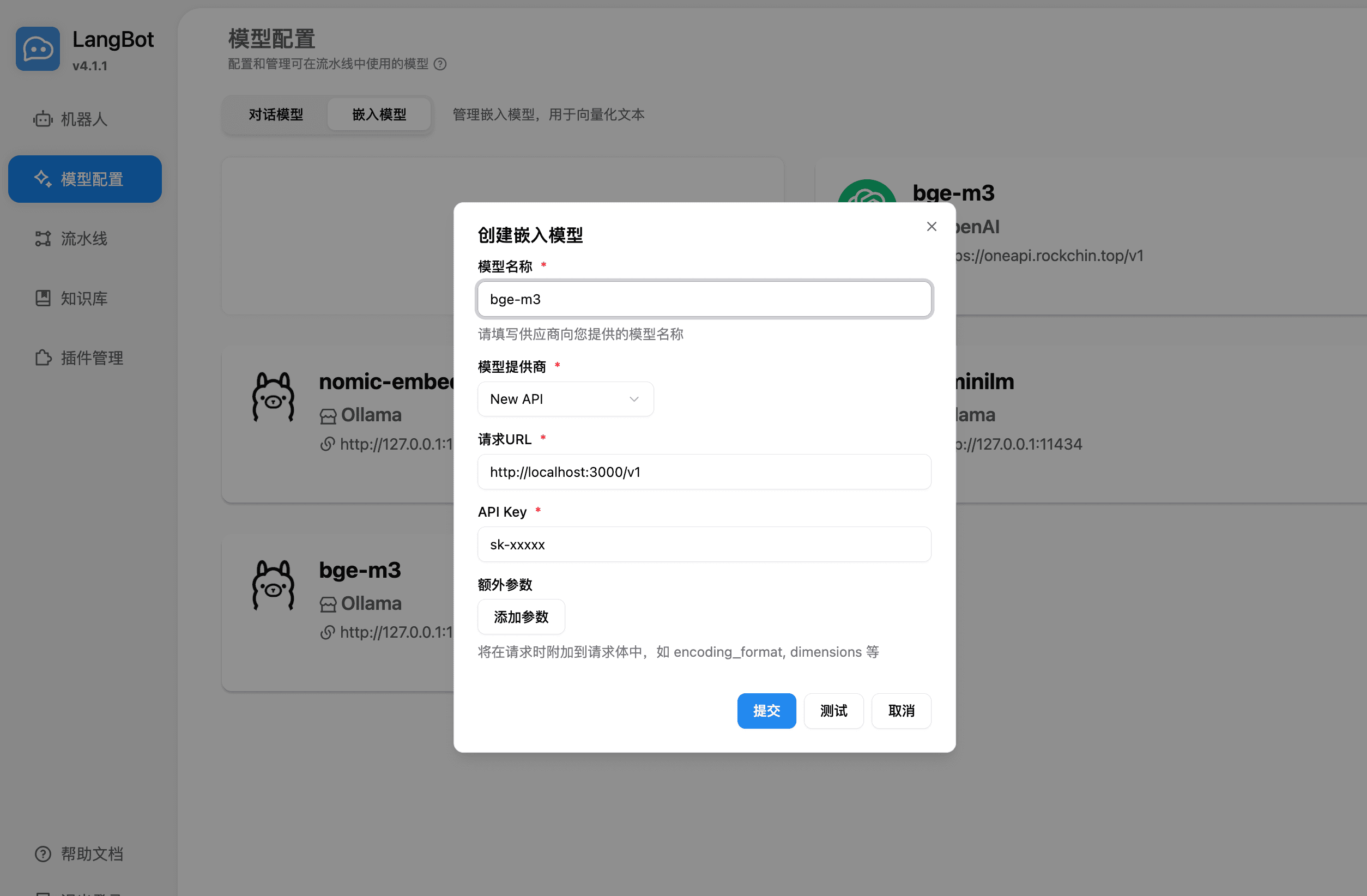
-
When creating a new knowledge base, select the embedding model you just added as the vector retrieval backend to build an intelligent knowledge base with semantic understanding.
-
After creation, you can use semantic retrieval and Q&A based on MoleAPI embeddings in the LangBot knowledge base.
-
You can further adjust vector model parameters in the knowledge base settings to meet more complex retrieval requirements.
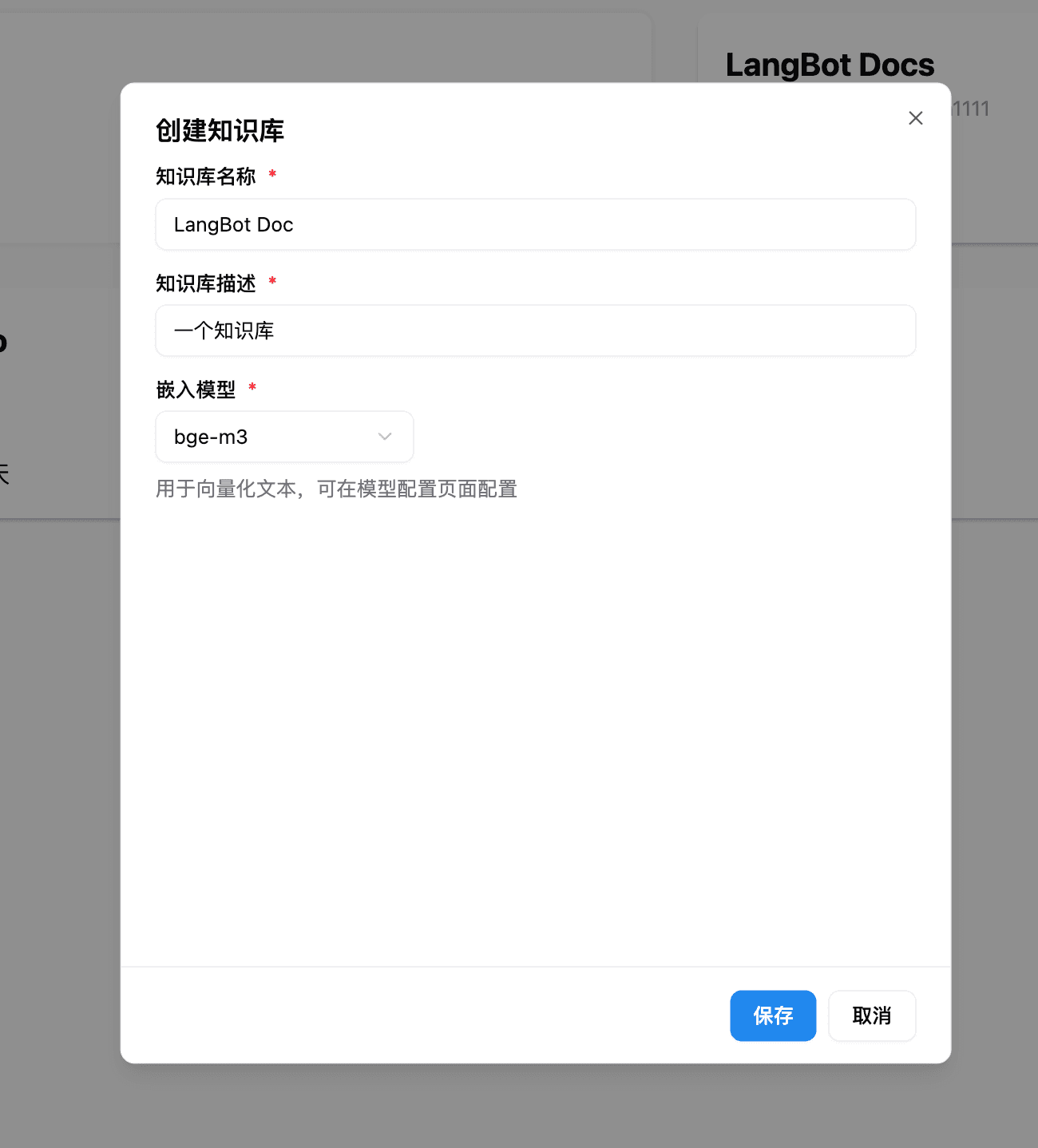
For more usage methods, see the LangBot official documentation: https://docs.langbot.app
How is this guide?
Last updated on
OpenClaw - Self-Hosted AI Assistant
OpenClaw Tutorial — Install OpenClaw, connect to New API, and quickly build a self-hosted AI assistant. An open-source project with support for multi-channel integrations such as Lark, Discord, and Slack.
AstrBot - Agent Chatbot
AstrBot Configuration Guide — Connect the open-source Agent chatbot platform to MoleAPI to bring AI capabilities to instant messaging platforms such as QQ, Feishu, DingTalk, and WeCom.