
Notification Settings and Quota Alerts
Getting balance or anomaly alerts in advance is more important than troubleshooting after the service is already affected
Many production issues do not happen because the model is actually unavailable, but because of:
- Insufficient balance
- A Key reaching its limit
- A sudden increase in abnormal requests
- The error rate rising without anyone noticing in time
So notification configuration is not an "advanced feature"—it is a highly practical foundational capability.
Where to find notification settings
In the console, go to:
Personal Settings → Notification Settings- Direct link: https://home.moleapi.com/console/personal
The Personal Settings page looks roughly like this:
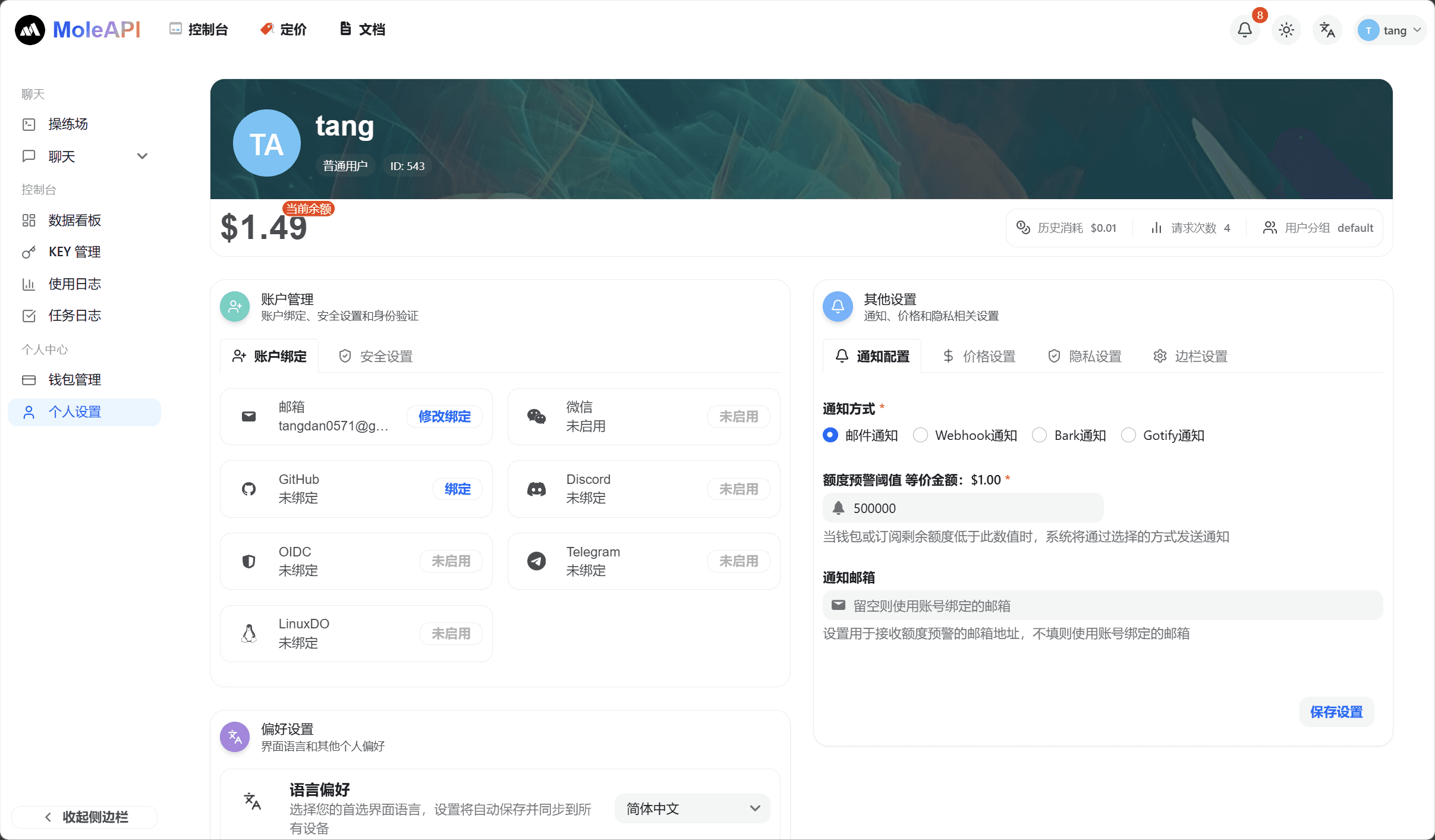
What you can configure on this page
Notification settings currently include:
- Notification method
- Quota alert threshold
- Notification email
Available notification methods include:
- Email notifications
- Webhook notifications
- Bark notifications
- Gotify notifications
Which notification method beginners should enable first
If you do not yet have your own notification system, it is recommended to prioritize:
- Enable Email notifications first
- Enter an email address you are sure to check
- Set a low-balance threshold that can alert you in time
The reasons are simple:
- It is the easiest to configure
- It is the easiest to verify
- It is the most suitable starting point for individuals or small teams
How to understand the quota alert threshold
This threshold is used to:
Proactively notify you when your available Quota drops to a certain level.
In essence, it helps move the problem forward from "the service is already affected" to "a warning you still have time to handle."
How to set it more reasonably
You can think about it by scenario:
- Personal testing: the threshold can be set lower
- Stable day-to-day usage: set it at a level that gives you enough time to respond
- Production environments: do not rely on only a single very low threshold
If this is for a formal business workload, the principle is not "the lower, the more cost-effective," but rather "make sure you still have time to respond."
When to consider Webhook / Bark / Gotify
If you have any of the following needs, you can consider notification methods that are more automated than email:
- You want to send alerts to a team bot
- You want reminders pushed directly to your phone
- You want to manage balance alerts together with other operations alerts
In other words:
- Personal use: start with email
- Semi-automated operations: Bark / Gotify
- Team-based integration: Webhook
Recommended practices
- Enable at least one notification method
- Do not set the threshold too aggressively, or you may not have enough time to respond
- For production projects, consider "low-balance alerts" together with "Key security policies"
- After updating notification settings, it is best to run a small self-test to confirm that notifications are received
A very practical habit
Balance, Key, models, and error codes are all connected. Many people who troubleshoot efficiently do one thing first: they configure notifications properly instead of waiting until a problem occurs and then investigating manually.
What to read next
How is this guide?
Last updated on